Decision
Referral source
Intake coordinator
Talk through intake, decisions, handoffs, and outcomes. The map on the right is an example — yours builds the same way as you speak.
Press start and talk it through. We'll ask for your email at the end, only to send the finished map — never sold, no marketing without your separate consent.
Referral source
Client completes self-referral form
Partner agency sends referral packet
Coordinator reviews eligibility and missing documents
Assign client to caseworker
Create service plan with goals and next appointment
Monthly check-in and outcome notes
What is Sumac
It replaces the binder, spreadsheets, and scattered notes with one place your caseworkers run every day — intake through reporting, built for nonprofits.
The same workflow you just mapped, running as a system your whole team can see.
The starting point
See how Sumac Case Management can help.
Free · about 20 minutes · tailored to the map you bring.Videos
Start with the case management overview. It shows how intake, notes, service tracking, outcomes, and reporting can connect around the workflow your team just mapped.
How Sumac helps
Your process map gives the conversation a practical starting point: each stage can become records, forms, plans, permissions, and reports your team can use every day.
Client makes first contact by call, walk-in, or referral
Capture consent and run eligibility check
Complete needs assessment and outcome baseline
What level of support is needed?
Build action plan with goals, tasks, and reminders
Log case notes and track services delivered
Update notes and forms during home and outreach visits
Roll case activity into outcomes and funder reports
Connect the shared client record across programs
Apply role-based permissions and program visibility
Your “Intake” stage resolves into
Implementation
You do not have to do it alone. The process map becomes the shared working document for configuration — records, fields, forms, reports, permissions, migration, training, and go-live support.
Use the process map to confirm programs, roles, intake paths, reporting needs, and current data sources.
Set up records, fields, permissions, workflows, case plans, and service tracking around the way work happens.
Digitize intake and assessment forms, then build reusable reports for funders, leaders, and program staff.
Train the team, migrate data where needed, support go-live, and keep support available after launch.
For nonprofit teams
Sumac fits social services, housing, youth programs, community health, and multi-program teams — shaped around the people they serve and the way their staff already work.
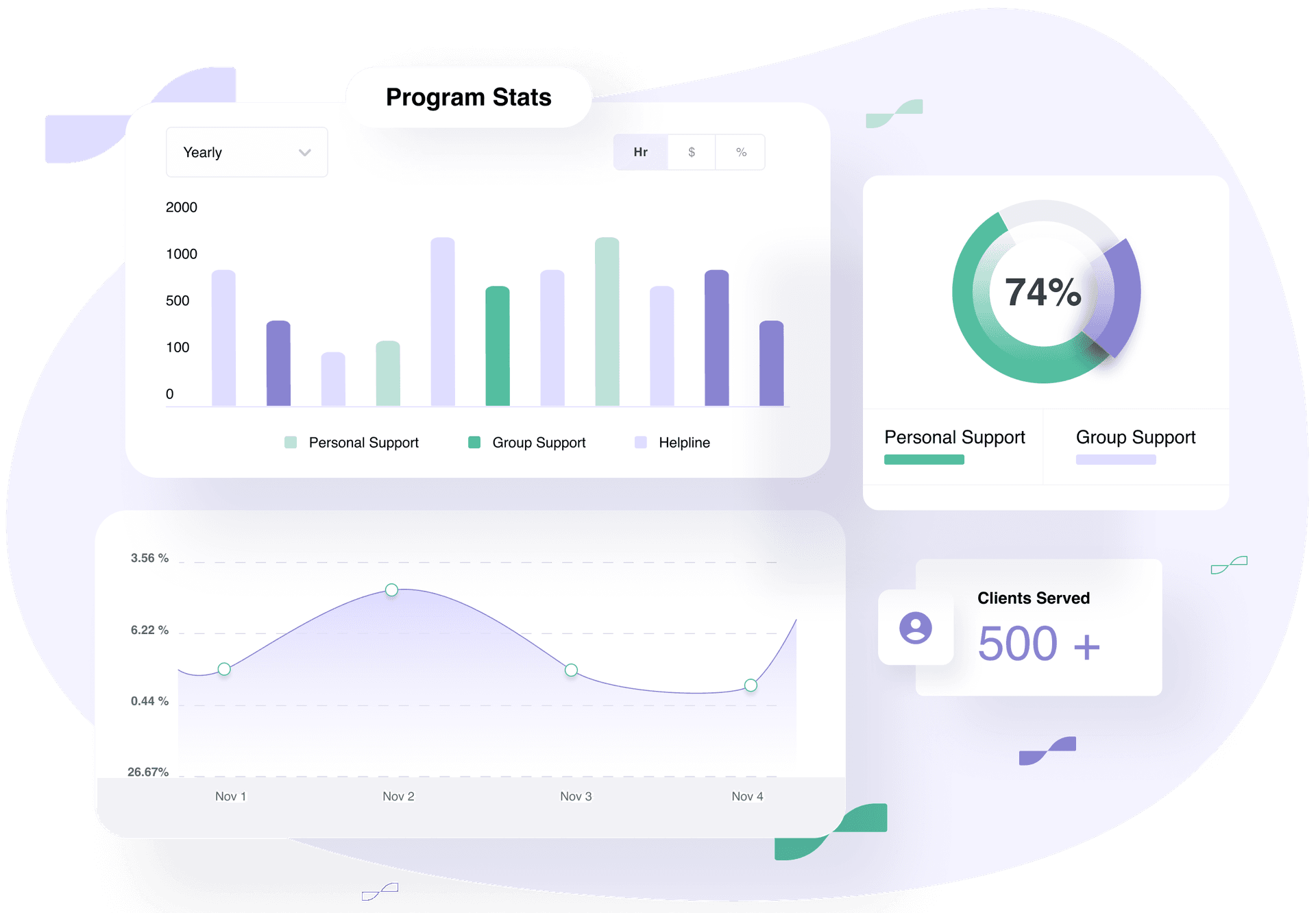
Use your process map to shape records, forms, permissions, and reporting around the work your staff already do.
Implementation, training, and phone, email, and screen-share help keep the system usable after launch.
Intake, notes, services, outcomes, documents, and reporting in one place caseworkers use every day — and leaders can finally see.
Awards & recognition
Year after year, Societ has been recognized by the platforms nonprofits trust most — for ease of use, customer satisfaction, and impact. These awards reflect our continued commitment to building tools that help mission-driven teams succeed.


Next step
The binder, the spreadsheets, the inbox threads, and what only one person remembers — together in a system your caseworkers actually use and your board can see.
Free · about 20 minutes · we put your mapped workflow on screen and outline how it becomes records, forms, and reports.